Caesar
Problem to Solve
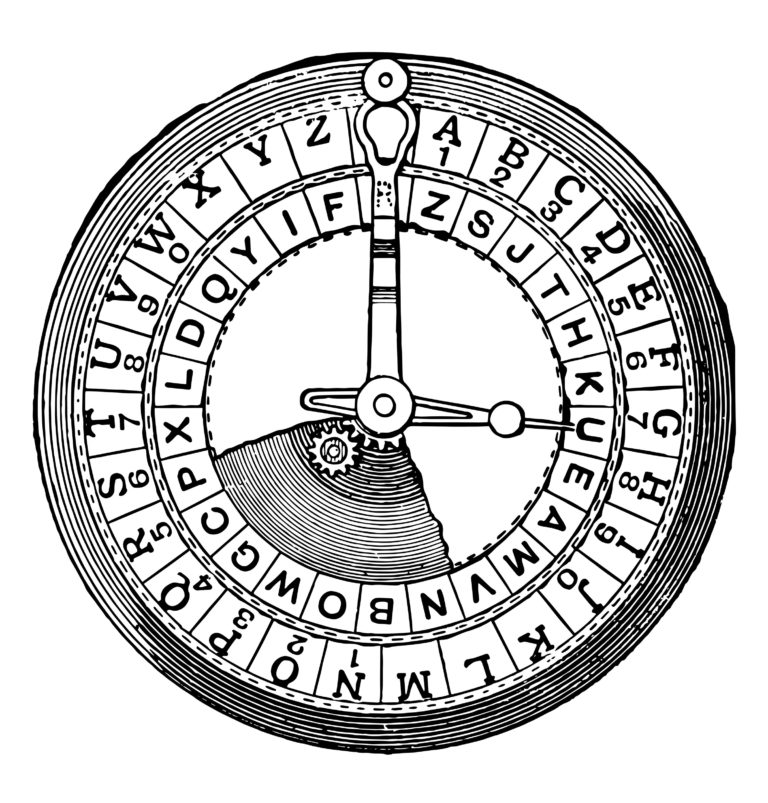
Julius Caesar is said to have protected confidential messages by shifting every
letter by a fixed number of positions. With a shift of 1, he would replace A
with B, B with C, and so on. After Z, the alphabet wraps back to A.
Using that shift, HELLO becomes IFMMP.
The original, readable message is called plaintext. The encrypted message is called ciphertext. The secret number of positions used for the shift is the key.
| Plaintext | H |
E |
L |
L |
O |
|---|---|---|---|---|---|
| + key | 1 |
1 |
1 |
1 |
1 |
| = ciphertext | I |
F |
M |
M |
P |
Caesar's algorithm rotates each letter by k positions. If letters are
represented by the numbers 0 through 25, the encrypted position is:
cipher_index = (plain_index + k) % 26
Here % 26 means the remainder after division by 26. It is what makes the
alphabet wrap around. Think of A and a as 0, B and b as 1, through Z
and z as 25. With a key of 3, for example, H at position 7 becomes K at
position 10, and i at position 8 becomes l at position 11. Thus Hi
becomes Kl.
Create a file named caesar.c inside a folder named caesar. The user must
provide the key as a command-line argument when starting the program, then
enter the plaintext when the program asks for it.
Specification
Design and implement a program named caesar that encrypts messages with
Caesar's cipher.
- The program must accept exactly one command-line argument: a non-negative
integer key
k. - If the user gives no key or more than one argument, print
Usage: ./caesar keyand return1frommain. - If any character in the key is not a decimal digit, print
Usage: ./caesar keyand return1. - Do not assume that
kis at most 26. The program should support non-negative keys smaller than2^31 - 26. A key of 27 must turnAintoB, not into the next ASCII character afterZ. - Prompt for the message by printing
plaintext:without first printing a newline. - Print
ciphertext:followed by the encrypted message. - Rotate alphabetic characters only. Copy spaces, punctuation, digits, and all other non-letter characters without changing them.
- Preserve case: uppercase plaintext letters produce uppercase ciphertext letters, and lowercase letters produce lowercase letters.
- Print one newline after the ciphertext and return
0frommain. - Use standard C and character arrays.
For this local version, you may assume that the plaintext contains no more than 254 characters.
Advice
Build the program in small stages. Compile and test each stage before moving to the next one.
Pseudocode
Start by expressing the algorithm as comments:
int main(int argc, char *argv[])
{
    // Confirm that exactly one command-line argument was provided.

    // Confirm that every character in the key is a digit.

    // Convert the key from text to an integer.

    // Prompt for the plaintext.

    // Rotate every letter and print the ciphertext.
}
Writing pseudocode first separates the decisions your program must make from the exact C syntax.
Counting command-line arguments
argc contains the number of command-line arguments, including the
program's name. Therefore, a valid invocation has argc == 2, and the key
is stored in argv[1].
First make only this check. Test it with:
$ ./caesar
Usage: ./caesar key
$ ./caesar 1 2 3
Usage: ./caesar key
$ ./caesar 1
Checking the key
Add a function that returns 1 only when the supplied character array is
non-empty and every character is a digit:
int only_digits(const char text[]);
isdigit, declared in ctype.h, examines one character at a time. Loop
until the null character, \0, and reject the key as soon as you find a
non-digit. Convert each char to unsigned char before calling isdigit.
After adding the function, these runs should produce no output for 42
and a usage message for banana:
$ ./caesar 42
$ ./caesar banana
Usage: ./caesar key
Using the key
Once the key is valid, atoi, declared in stdlib.h, can convert it to an
int. Reducing it with % 26 before encrypting makes large keys easier to
handle.
Add a function that rotates one character:
char rotate(char c, int key);
rotate('A', 1) and rotate('A', 27) should both return 'B'.
rotate('!', 13) should return '!'.
For an uppercase letter, subtract 'A' to obtain a number from 0 to 25,
apply the formula, and add 'A' again. Perform the same steps with 'a'
for lowercase letters.
Reading and printing a sentence
Unlike scanf with %s, fgets can read a message containing spaces:
char plaintext[256];
printf("plaintext: ");
fgets(plaintext, sizeof plaintext, stdin);
Visit each character until you reach the newline stored by fgets or the
null character, \0. Print the result returned by rotate with %c.
After the loop, print exactly one newline.
Starter Code
#include <ctype.h>
#include <stdio.h>
#include <stdlib.h>

int only_digits(const char text[]);
char rotate(char c, int key);

int main(int argc, char *argv[])
{
    // Validate the command-line argument.

    // Convert the key to an integer.

    // Read the plaintext.

    // Rotate and print every character.
}

int only_digits(const char text[])
{
    // Return 1 if text is non-empty and contains only digits; otherwise 0.
}

char rotate(char c, int key)
{
    // Rotate letters and return non-letter characters unchanged.
}
How to Test
Compile and run the program from the caesar folder:
cc caesar.c -o caesar
./caesar 1
If your system provides gcc instead of cc, run gcc caesar.c -o caesar.
Test invalid arguments:
$ ./caesar
Usage: ./caesar key
$ ./caesar 1 2
Usage: ./caesar key
$ ./caesar banana
Usage: ./caesar key
Test valid keys and messages:
$ ./caesar 1
plaintext: HELLO
ciphertext: IFMMP
$ ./caesar 13
plaintext: Hello, World!
ciphertext: Uryyb, Jbeyq!
$ ./caesar 27
plaintext: A zebra!
ciphertext: B afcsb!
Also test key 0, letters near the end of the alphabet, punctuation, and a
message containing spaces.
Continue with Substitution.